
Last week I was halfway through a TIG pass when my arc started dancing all over the place. I thought it was the tungsten, maybe even a bad ground — turns out, my auto-darkening lens had given up mid-job. The culprit? A dead battery.
That’s when I realized most welders (my past self included) don’t really think about how to change the battery in your Hobart welding helmet until it’s too late — usually when you’re halfway through a weld and can’t see a thing.
I’ve burned through enough projects to know a failing helmet battery isn’t just annoying — it’s a safety risk. A weak lens can flash your eyes, strain your vision, and ruin a bead you’ve worked hard to prep. Over the years, I’ve learned to spot the signs early and swap batteries before they cause trouble.
If your Hobart’s lens is flickering, dimming, or lagging to darken, don’t wait for it to fail mid-weld. Let me walk you through the simple, step-by-step method I use to replace the batteries the right way — without damaging your helmet or your eyesight.
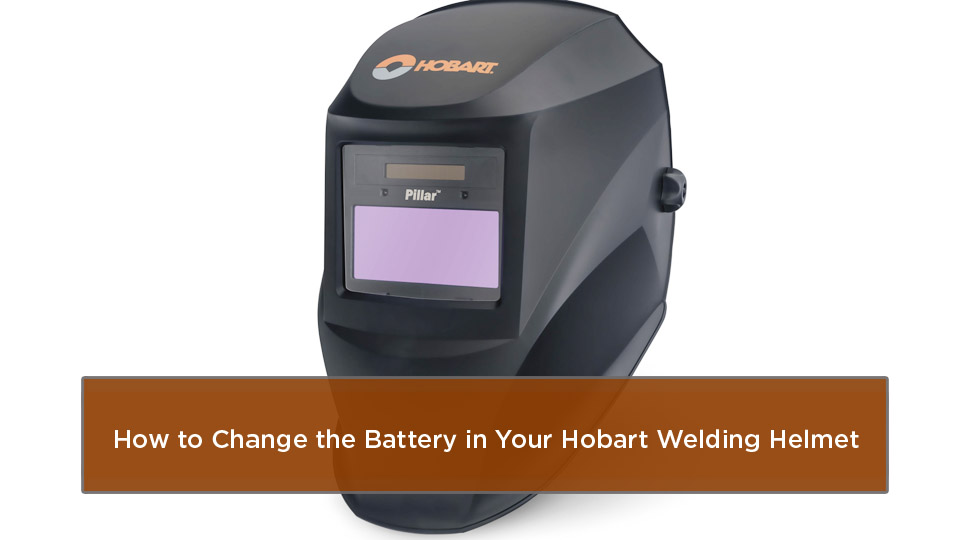
Photo by hobartweldshop
Signs Your Hobart Welding Helmet Battery Is Dying
Before you grab your tools, let’s make sure the battery is the culprit. I’ve learned the hard way that jumping straight to replacement can overlook other problems, like dirty sensors. But when the battery’s low, your helmet gives clear warnings.
The most obvious sign is the low battery indicator. On models like the Inventor Series, a red LED lights up when you’ve got just 2-3 days of juice left. I remember one job where I ignored that light during a long fab session—big mistake. The lens flickered mid-weld, and I had to stop everything to swap it out.
Another red flag is if the auto-darkening feature fails. Your lens might not shade properly when you strike an arc, staying too light or not reacting at all. This is especially common in high-use environments where the battery drains faster from constant activation.
Flickering or inconsistent shading? That’s often battery-related too. If the lens darkens but then clears prematurely, or vice versa, check the power source. In my shop, I’ve fixed this on Endeavor helmets by a quick swap, saving me from buying a new one.
Lastly, if your helmet’s been in storage for months, the battery might have drained in sleep mode. Hobart helmets sip power—less than 1 microamp when idle—but nothing lasts forever. Test it before your next project to avoid surprises.
Different Hobart Welding Helmet Models and Their Battery Needs
Hobart makes a solid lineup of helmets tailored for various users, from entry-level DIYers to heavy-duty pros. Knowing your model helps pick the right battery and avoid compatibility headaches. I’ve used several over the years, and here’s a breakdown.
The Inventor Series is popular for its large viewing area—about 9.3 square inches—and variable shade from 8-13. It uses two CR2450 lithium batteries, which are coin-style and easy to find at any hardware store.
Then there’s the Endeavor Series, great for all-day comfort with its lightweight design. These often take a single CR2450, but some variants use rechargeable packs or even AA batteries for extended life. I prefer the lithium ones for reliability in cold shops.
The Impact and Hood XVX models are more rugged, ideal for industrial work. They typically require two CR2450s, with trays that slide out for quick changes. The Pillar and Creator series are budget-friendly options for hobbyists, using similar CR2450 or CR2032 batteries, depending on the year.
Here’s a quick comparison table to help you match your helmet:
| Model | Battery Type | Number Required | Typical Lifespan | Best For |
|---|---|---|---|---|
| Inventor Series | CR2450 Lithium | 2 | 2-3 years | Pros needing large view |
| Endeavor Series | CR2450 or AA | 1-2 | 1-2 years | Hobbyists and daily use |
| Impact | CR2450 Lithium | 2 | 2 years | Industrial durability |
| Hood XVX | CR2450 Lithium | 2 | 2-3 years | Versatile shop work |
| Pillar/Creator | CR2032/CR2450 | 1-2 | 1-2 years | Beginners and DIY |
Pros of CR2450 batteries: Long shelf life, compact, and they handle temperature swings well—crucial for outdoor jobs in varying US weather. Cons: They’re not rechargeable, so stock up. If your model has a solar assist, it extends battery life by charging during arcs, but don’t rely on it alone.
Tools and Materials for a Smooth Battery Swap
You don’t need a full toolbox for this—keep it simple, like prepping a basic butt joint. I’ve done changes with just what’s in my pocket, but here’s what makes it easier.
First, the replacement battery: Stick to CR2450 lithium for most Hobart models. Get name-brand ones; cheap knockoffs leak or die fast. You’ll need one or two, based on your helmet.
A small Phillips-head screwdriver is essential for opening compartments. Some models have snap-off covers, but others require unscrewing the lens assembly.
Grab a soft cloth or brush to clean the compartment—dust and spatter build up and can cause poor connections.
Optional but helpful: A multimeter to test voltage if you’re troubleshooting. And gloves to avoid oils from your hands affecting the electronics.
Safety first: Work in a well-lit, dry area away from flammables. I’ve seen sparks from mishandled batteries, though rare.
Step-by-Step Guide to Changing the Battery
This is like teaching a new trainee how to set up a MIG gun—clear, methodical steps. I’ll cover general instructions, with tweaks for popular models. Always power off the helmet first.
Start by locating the battery compartment. On most Hobarts, it’s inside the helmet near the lens or on the side. For the Inventor, slide out the cover; for Endeavor, it might be under the headgear.
Remove the old battery carefully. Slide trays out if present—note left and right aren’t interchangeable on models like the XVX. Gently pop out the battery; if stuck, tap lightly, but don’t force it.
Clean the area. Wipe away corrosion or debris with your cloth. I’ve fixed flaky connections this way after a helmet sat in a damp garage.
Install the new battery. Positive (+) side up, always—toward the helmet’s inside. Push until it seats firmly.
Reassemble and test. Press the reset button; the lens should flash dark twice. Strike a test arc (safely, with proper setup) to confirm darkening.
For the Endeavor specifically: Unplug if rechargeable, open the inner compartment with a screwdriver, swap the CR2450, and check the indicator.
On the Impact: Remove the lens assembly first, then access trays. It’s a bit more involved, but worth it for the durability.
If your model’s solar-powered with backup batteries, ensure the panel’s clean for optimal charging.
This whole process takes 5-10 minutes once you’re familiar. I once did it between welds on a pipeline job—kept the crew moving.
Common Mistakes and How to Fix Them
Even experienced welders slip up here. One biggie: Installing the battery upside down. The lens won’t work, and you might think it’s defective. Double-check polarity—I’ve wasted batteries this way early on.
Another: Forgetting to clean contacts. Corrosion from sweat or shop grime causes intermittent issues. Fix by gently scraping with a cloth; avoid abrasives.
Using the wrong battery type? That leads to leaks or poor fit. Stick to CR2450; I’ve seen AA swaps in Endeavors work, but they add weight and might void warranties.
Reassembling trays wrong on XVX models—left and right matter. If it doesn’t power on, swap them.
Over-tightening screws strips threads. Hand-tight is enough.
If you make a mistake, don’t panic. Disassemble, correct, and test again. Patience pays off, like dialing in amperage for thin sheet metal.
Tips for Extending Your Helmet Battery Life
Want to stretch those CR2450s? I’ve got tricks from years in the trade.
Store your helmet in a dark, dry spot—light activates the lens, draining power. I use a helmet bag in my truck.
Use grind mode wisely; it prevents unnecessary darkening during non-weld tasks.
Clean sensors regularly—blocked ones make the helmet work harder, sipping more battery.
For solar-assisted models, weld in bright conditions to recharge. But in low-light shops, expect faster drain.
Avoid extreme temps; batteries hate freezing winters or hot summers. I’ve lost helmets to shop heaters too close.
Check monthly if you’re a heavy user. Pros like me swap every 1-2 years preventively.
These habits have saved me money and kept my gear reliable on multi-day jobs.
Troubleshooting If the Lens Still Acts Up After Replacement
Battery changed but problems persist? Let’s diagnose, like checking wire feed issues.
If it doesn’t darken: Confirm mode isn’t grind. Clean lenses and sensors—spatter blocks light detection.
Flickering? Adjust sensitivity—LO for bright areas, HI for dim. Bad contacts? Recheck installation.
Lens stays dark too long? Tweak delay settings for your process—MIG needs quicker clear than stick.
No power at all? Test batteries with a multimeter; should read 3V each. If low, replace again.
For pros: Ensure compatibility with your welder’s output. High-amp TIG can overwhelm weak batteries.
I’ve troubleshot these on job sites; often, it’s simple like a dirty sensor from slag.
Why Proper Helmet Maintenance Boosts Your Welding Game
Beyond batteries, regular care keeps your Hobart performing. I’ve seen neglected helmets lead to poor welds and injuries.
Clean the shell with mild soap and water—no solvents that damage plastics. Wipe lenses gently; scratches impair vision.
Inspect headgear for wear; adjust for comfort to reduce fatigue on long shifts.
Replace cover lenses when pitted—cheap insurance for clarity. I swap mine every few months.
Store properly: Cool, dry, away from chemicals. Removes batteries for long storage.
This maintenance aligns with US welding codes like ANSI Z87.1, ensuring safety and efficiency.
In my experience, a well-maintained helmet means better bead control, fewer defects, and more confidence—whether you’re a student practicing fillets or a fabricator on custom rigs.
Comparing Battery Options for Hobart Helmets
Not all batteries are equal. Here’s a pros/cons breakdown to guide your choice.
CR2450 Lithium: Pros—long life (up to 3 years), reliable in cold, compact. Cons—disposable, pricier upfront.
Rechargeable Packs (some Endeavors): Pros—eco-friendly, cost-saving long-term. Cons—need charging, heavier.
AA Batteries: Pros—cheap, everywhere available. Cons—bulkier, shorter life in helmets.
For DIYers, go lithium for set-it-and-forget-it. Pros might prefer rechargeables for sustainability.
Factor in your welding frequency: Hobbyists can skimp; daily users need durability.
Safety Considerations When Handling Helmet Batteries
Batteries seem harmless, but treat them right. Lithium can leak if damaged—wear gloves.
Dispose properly at recycling centers; don’t trash them per US EPA guidelines.
Avoid short-circuiting; tape terminals on old ones.
In the shop, keep away from sparks—rare, but I’ve heard stories.
Prioritize eye safety: Test post-replacement before real welds.
These habits build trust in your gear, like prepping joints for strong penetration.
Real-World Applications and When to Upgrade
Changing batteries keeps your current helmet going, but know when to upgrade. If yours is old, consider newer Hobarts with true-color lenses for better visibility.
For MIG on auto parts, a fresh battery ensures consistent shading. Stick welding structural steel? Reliability prevents stops.
Students: Practice with a maintained helmet to learn proper techniques without distractions.
Hobbyists: Save cash by DIY fixes instead of new buys.
I’ve upgraded from basic models to Inventor for fab work—worth it for the view.
Wrapping Up
You’ve now got the know-how to change the battery in your Hobart welding helmet confidently. Remember the signs like indicators and flickering, grab the right CR2450s, follow the steps, and maintain regularly for longevity. This keeps you safe, your welds strong, and your projects on track—whether you’re a DIYer fixing farm equipment or a pro in a busy shop.
You’re more prepared because you understand the why behind the how, avoiding common pitfalls that trip up beginners. Go ahead, tackle that battery swap, and get back to what you love: creating with fire and metal.
Always keep spare batteries in your toolbox alongside your filler rods—nothing worse than a dead helmet mid-job.
FAQ
How often should I replace the battery in my Hobart welding helmet?
It depends on usage, but every 1-3 years is typical. Heavy daily welding drains faster, so check the indicator monthly and swap when it lights up to stay ahead of issues.
What type of battery does the Hobart Inventor Series helmet use?
It takes two CR2450 lithium batteries. Make sure the positive side faces up during installation for proper function.
Why is my Hobart helmet lens flickering after a battery change?
Could be dirty sensors or incorrect sensitivity settings. Clean everything, adjust to LO in bright areas, and retest. If it persists, check battery contacts.
Can I use rechargeable batteries in my Hobart Endeavor helmet?
Yes, some models support rechargeable packs, but confirm with your specific variant. They’re great for cost savings but require regular charging.
What should I do if my helmet won’t power on after replacing the battery?
Double-check polarity and tray orientation—left and right matter on some models. Test with a multimeter; if still dead, inspect for damaged wiring from drops.


